


Manage settings
Manage membership cards
Create and customize your club's annual membership cards
Plugin.ch lets you design and print professional membership cards, optionally with your members' photos. Customize the design, preview the result, and print in just a few clicks.
Access card management
From the menu, click “Manage membership cards” to access the interface for creating and customizing membership cards.
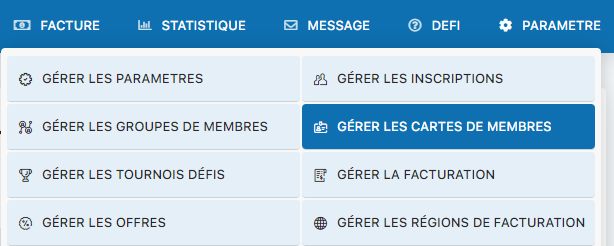
Menu for accessing card management
Customize the design of your cards
The customization screen allows you to configure the appearance of your membership cards. You can change the colors, add the club logo, include members' photos, and adjust all visual elements to match your club's identity.
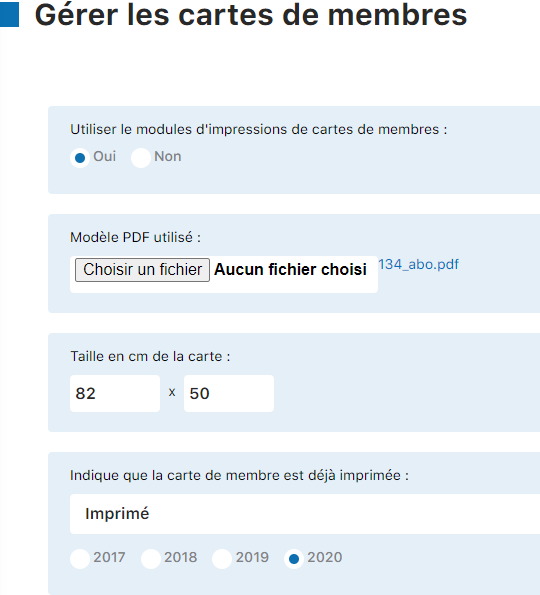
Card design customization interface
Access advanced options
A complete configuration panel allows you to adjust all your card settings: size, orientation, print resolution, photo inclusion, information to display, etc.
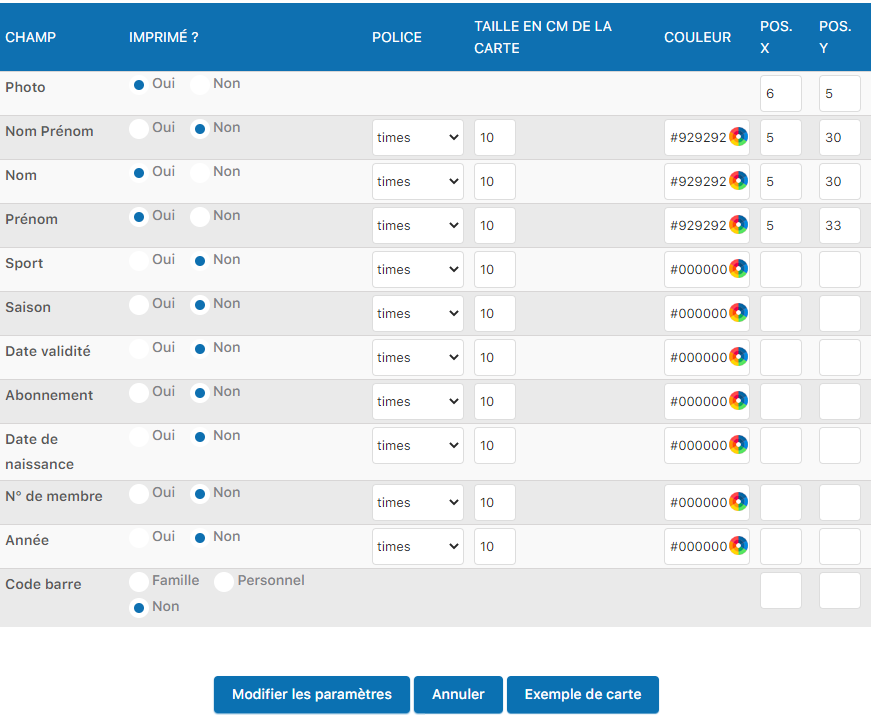
Complete card settings panel
Preview before printing
Before printing, click the “Card example” button to see an exact preview of what your printed cards will look like. This lets you check the layout, colors, and position of the elements.
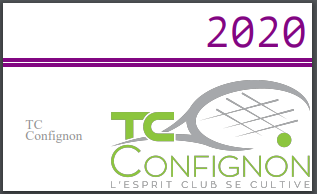
Membership card example (TC Confignon 2020)
Plugin.ch Tutorial — Manage settings