


Manage settings
Manage online payments
Enable and configure online payments for your members
Give your members the ability to pay their dues and fees online. Plugin.ch includes a secure electronic payment system that greatly simplifies financial management. Find out how to set up this handy feature.
Go to the online payment settings
In the main menu, select Settings, then Manage online payments. This section centralizes all settings related to electronic transactions.
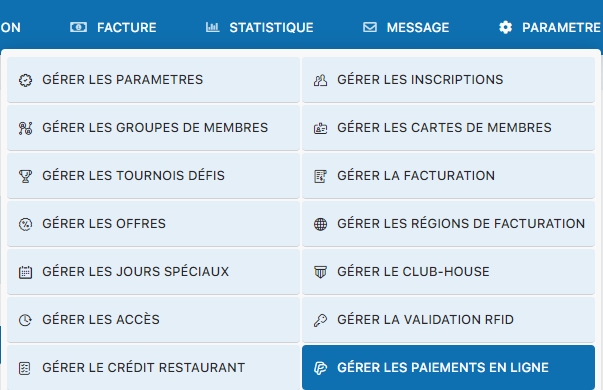
Settings menu – Manage online payments
Enable online payments
Select Yes in the initial configuration screen to enable the online payment feature. Once enabled, you will access the full configuration panel.
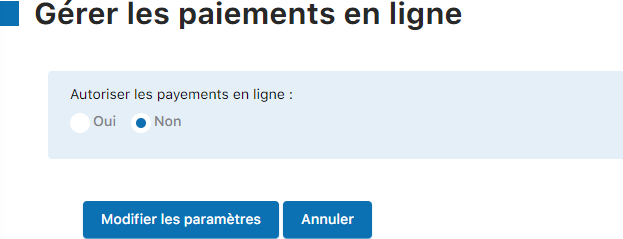
Activation screen - Select Yes
Configure the payment settings
The configuration panel shows all the settings needed to manage your online payments. Fill in each field with the appropriate information, then click Edit settings to save your changes.
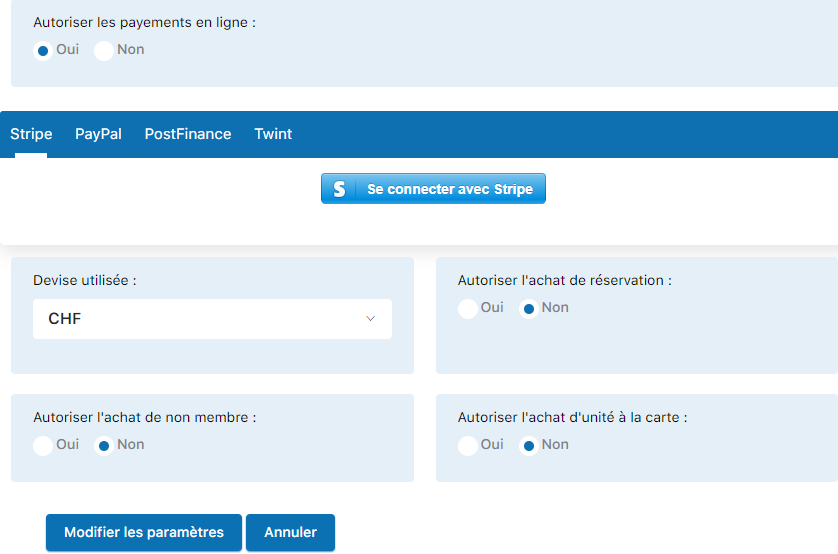
Full online payments configuration panel
Important
Don't forget to save your changes by clicking the button Edit settings. Without this step, your settings will not be saved.
Plugin.ch Tutorial — Manage settings