


Manage courts
Manage booking periods
Set the time breakdown for bookings for each season
The booking periods define the length of booking slots (for example, 30 minutes, 15 minutes) for all courts in a given season. They apply globally to all your courts and let you structure schedules consistently. Periods can vary depending on the time of day, offering flexibility in managing slots.
Go to period settings
From the main menu, click SPORT, then select Link a sport to a season. This option lets you configure all the settings related to a season, including booking periods.
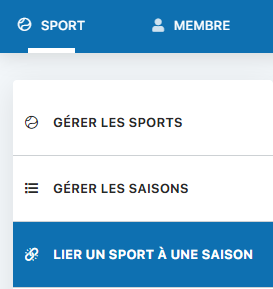
SPORT menu with access to season configuration
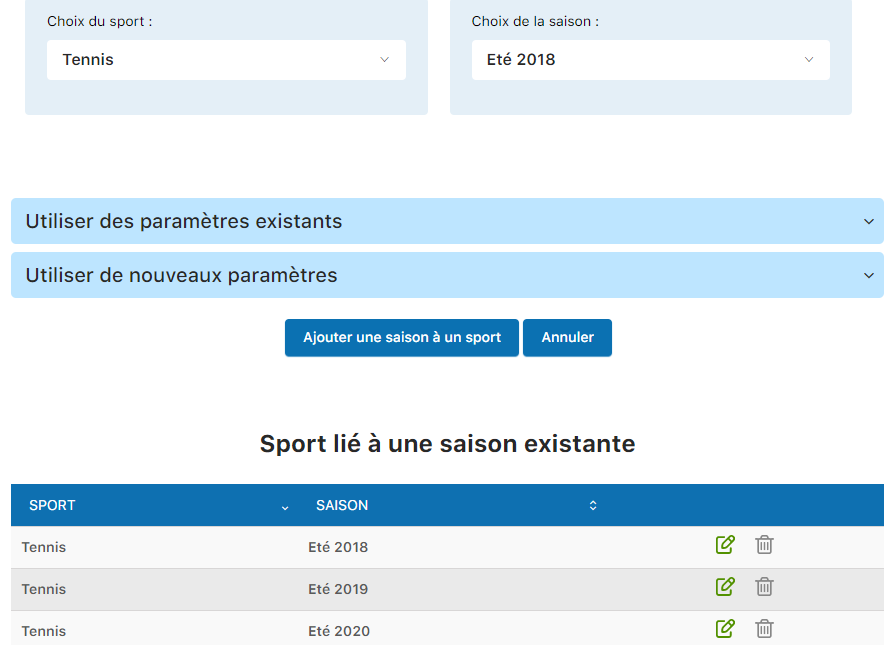
Season settings configuration interface
View and configure periods
The season list shows the period settings for each one. For example, you might see a setting Period: 30 min between 01:00-23:00, indicating that all slots last 30 minutes throughout the day.
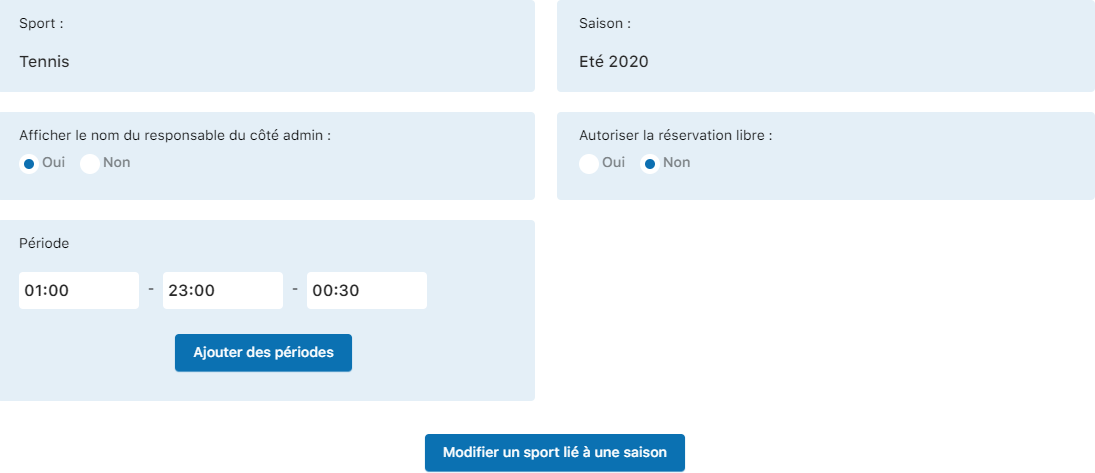
Display of the periods configured for each season
You can create period variations depending on the time of day. For example:
- 30 minutes from 6:00 to 12:00
- 15 minutes from 12:00 to 22:00
To add additional periods with different slots, click the button Add periods.
Note: The booking periods and the court opening hours are two independent settings. Periods define how long slots last, while opening hours (configured in “Manage courts”) define the hours the court can be accessed.
Warning: This tutorial only covers the “Period” setting. Creating a season and linking it to a sport are covered in another chapter of the manual. Please refer to that section for the prerequisite steps.
Plugin.ch Tutorial — Manage courts