


Manage lessons
Prerequisite
Prepare the ground before creating your lessons
Managing lessons in Plugin.ch relies on consistent upfront organization. Before creating your first lessons, make sure all the basics are in place. This preparation step ensures smooth, professional management of your lesson calendar.
1
Check the prerequisites
Before you start, make sure the following six elements are correctly configured:
- The playing courts are created and available (see the “Manage courts” chapter)
- The different lesson types for the period are defined
- The invoicing items corresponding items are created (e.g. “Mini tennis ½ H”) — see the “Managing items” chapter
- The member groups are organized by lesson block and time slot
- The enrollments are ready to be managed
- The teacher scheduling is set
2
Concrete example: Summer 2020 season
Here's how to organize your courts for a typical season. In this example, three types of lessons are offered:
- Mini tennis ½ H (duration: 30 minutes)
- Tennis school 1H (duration: 1 hour) — available in 1H and 1H30
- Competition lesson 2H (duration: 2 hours)
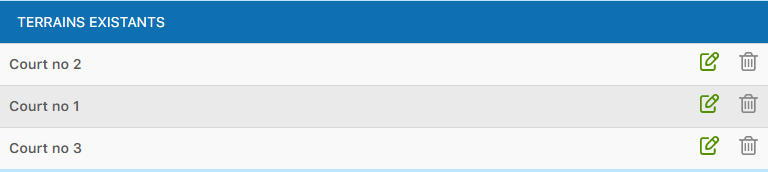
Example of courts configured for the summer 2020 season
3
Manage your courts
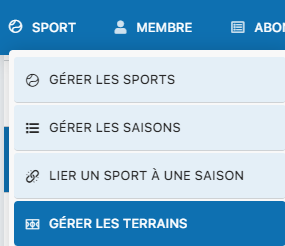
To view or edit your courts, go to the menu SPORT / MANAGE COURTS. You will find the full list of courts available for your lessons.
Access court management from the main menu
Tip: Take the time to properly plan all these prerequisites before starting to create your lessons. Good initial organization will save you time later and avoid cascading changes.
Plugin.ch tutorial — Manage lessons